A personal finance app built around Canadian money.
NivoaFlow helps Canadians connect spending, budgets, bills, goals, registered accounts, and household planning into one clear picture.
35 days free. No credit card required.
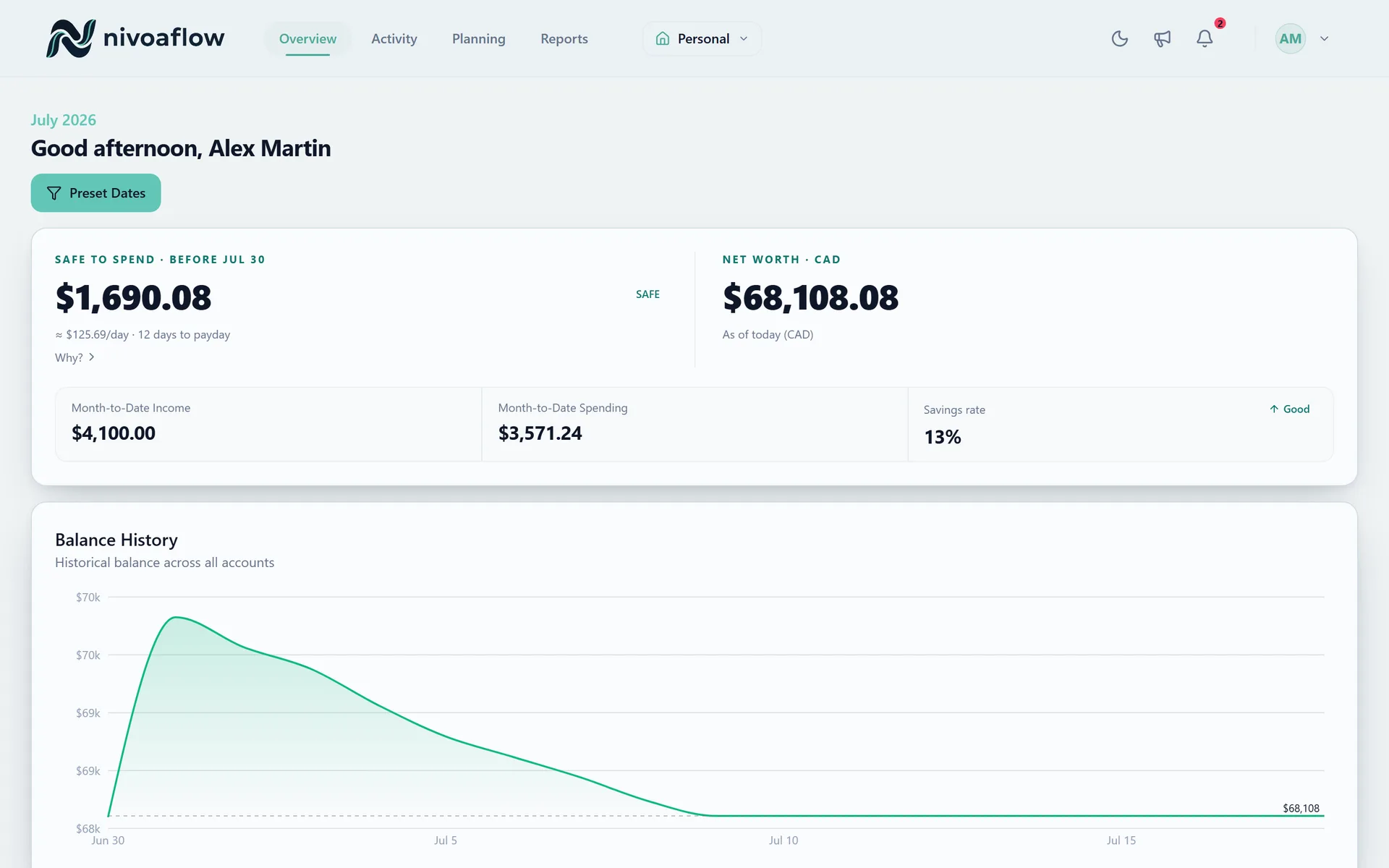
Why this page exists
Choose this page for broad personal-finance-app searches where the visitor may not know whether they need budgeting, net worth, cash flow, or Canadian account planning first.
Canadian context should not be an afterthought
A useful personal finance app for Canada should handle everyday cash flow and the Canadian account layer around it. That means budgets, bills, TFSA, RRSP, FHSA, net worth, and export controls should feel connected instead of scattered.
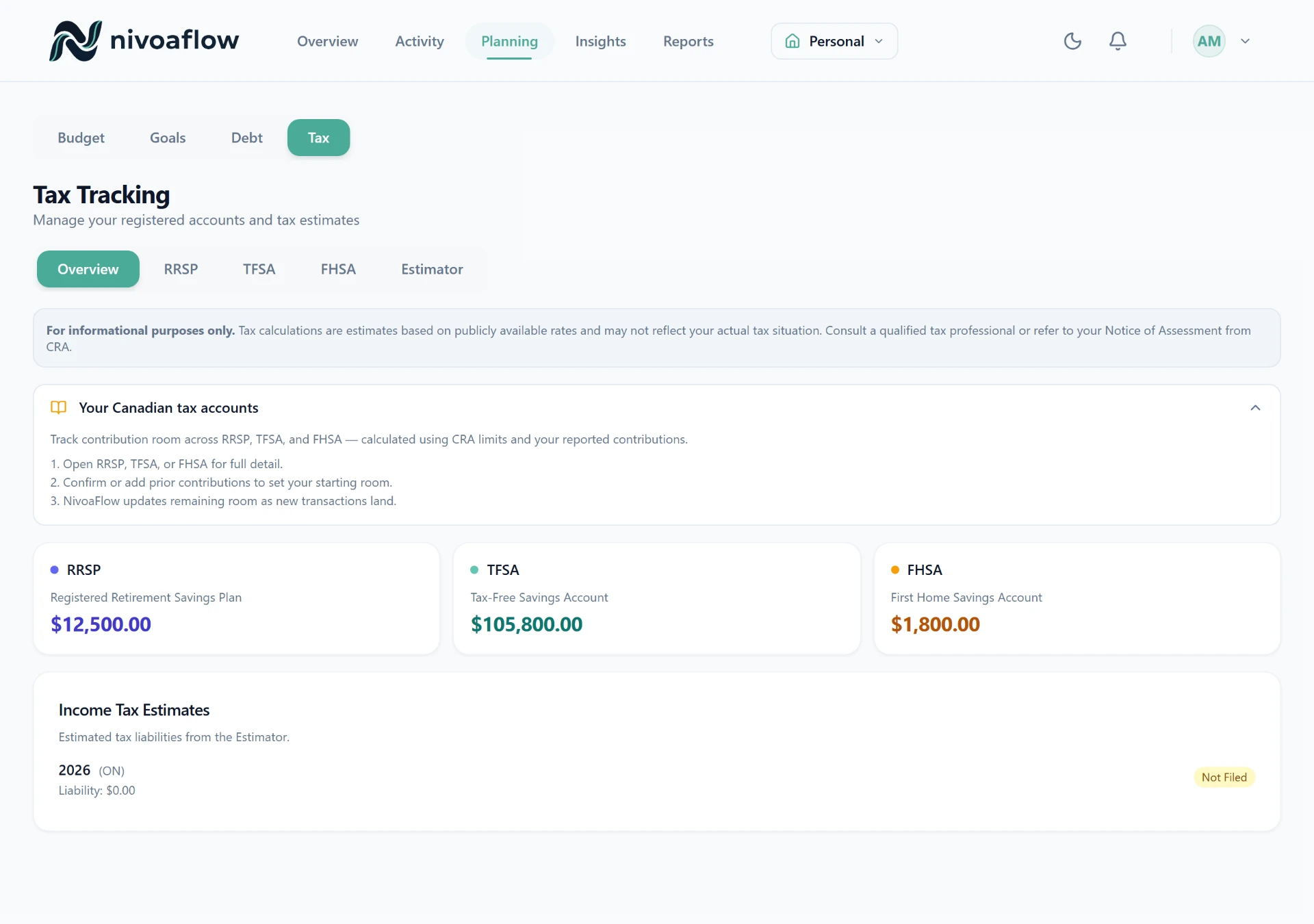
Track the work that happens every week
NivoaFlow is designed around repeated money work: reviewing transactions, cleaning categories, checking budget progress, planning bills, and seeing where the next dollar belongs.
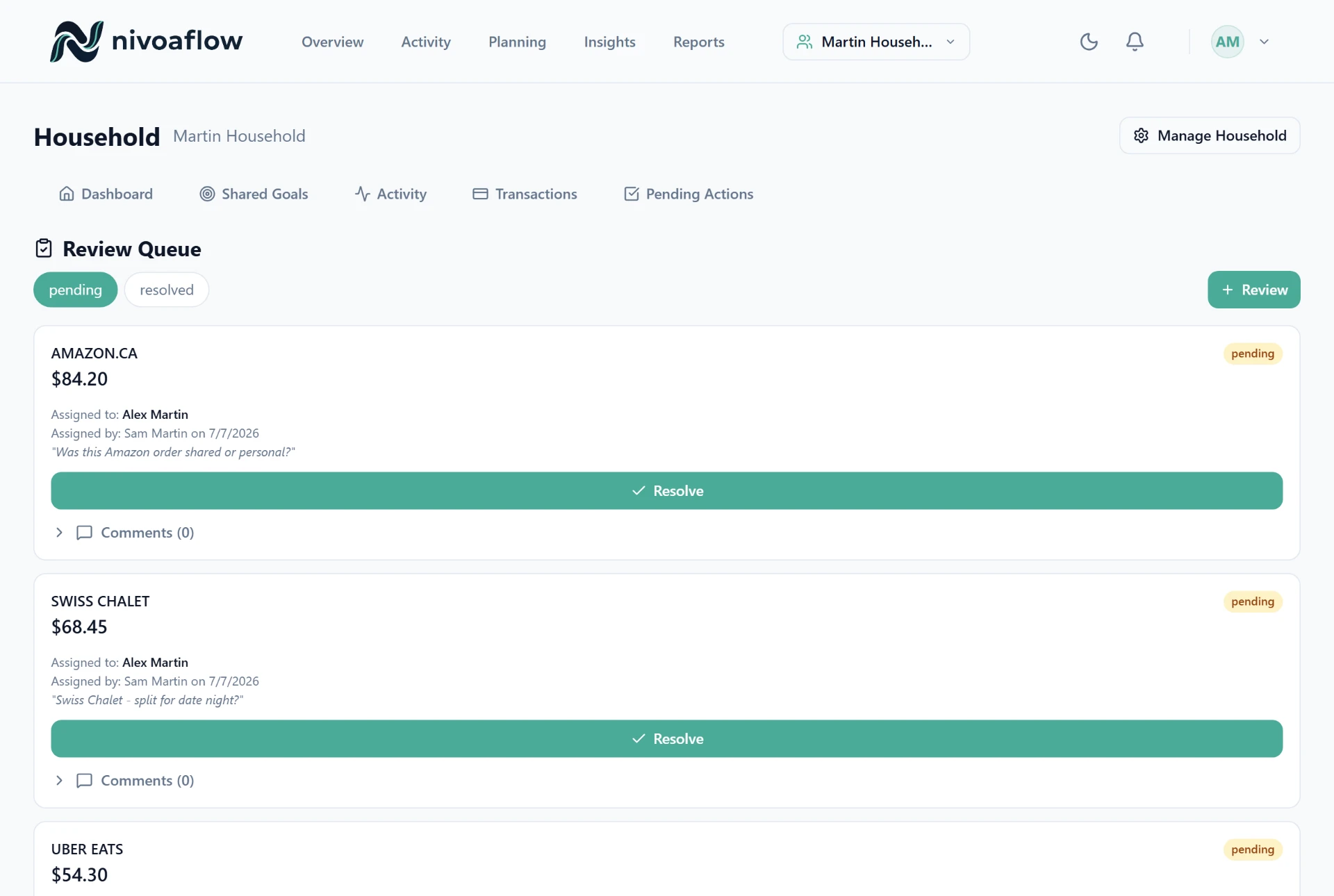
What to check before choosing
CAD-first budgeting and product copy
TFSA, RRSP, and FHSA planning surfaces
Manual entry and CSV import alongside available bank connections
Budgets, recurring bills, cash flow, goals, and reports in one place
Household planning without turning everything into one shared login
Export and deletion controls treated as product features
Comparison frame
| Question | NivoaFlow angle | What to compare |
|---|---|---|
| Core job | Connect the full personal-finance picture | May focus on one surface like spending, investments, or envelopes |
| Canadian layer | Registered accounts and Canadian education are part of the product direction | May require custom categories, notes, or spreadsheets |
| Data entry | Manual, CSV, and connection-based workflows | Some tools are awkward when sync is unavailable |
| Trust | PIPEDA-aligned privacy, export, and deletion messaging | Exit controls may be harder to find or compare |
Download the checklist
Use the seven-question checklist before starting any free trial, including NivoaFlow.
Download HTML checklist- 1.Price and currency
- 2.Canadian account fit
- 3.Sync fallback
- 4.Repeated cleanup
- 5.Cash-flow planning
- 6.Household boundaries
- 7.Data export and deletion
See if NivoaFlow fits your money system
Start free, test the workflow, and compare it against the checklist before you commit.
Create free account